Web UI Overview
The Nine Fives web interface is accessible at http://<device-ip> on port 80.
It provides a browser-based graphical interface for monitoring and controlling
the SP4T device.
Layout
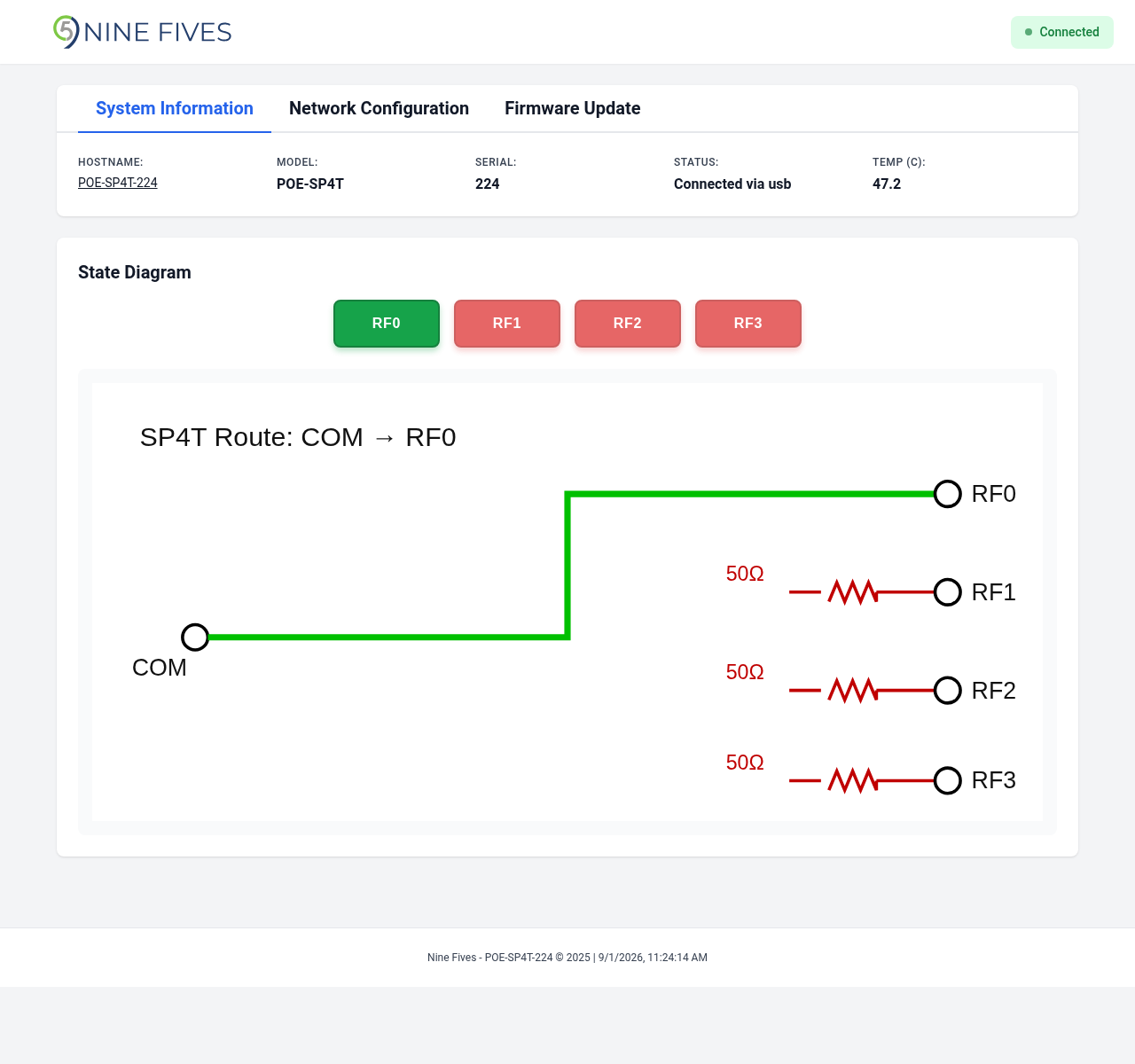
The interface consists of:
- Header — Nine Fives logo and connection status indicator
- Tab bar — Switches between System Information, Network Configuration, and Firmware Update views
- SP4T control card — Four-position RF route control
- Notifications — Success and error messages appear at the bottom of the page and auto-dismiss after a few seconds
Connection Status
The header displays a connection status badge:
- Connected (green) — The browser is communicating with the device
- Disconnected (red) — Communication with the device has been lost
The interface polls the device every second to update the displayed state.